When it comes to storing files on your computer, USB drives, or external hard drives, you might have seen NTFS and exFAT as formatting options. Many users get confused about which one to choose. The choice is important because the file system affects compatibility, performance, and storage limits.
People often search for “NTFS or exFAT” when they want to transfer files between devices like Windows PCs, Macs, or gaming consoles. Choosing the wrong system can lead to errors, slow performance, or inaccessible data. This guide explains the differences, origins, common mistakes, and practical usage of NTFS and exFAT so you can make an informed choice.
NTFS or exFAT – Quick Answer
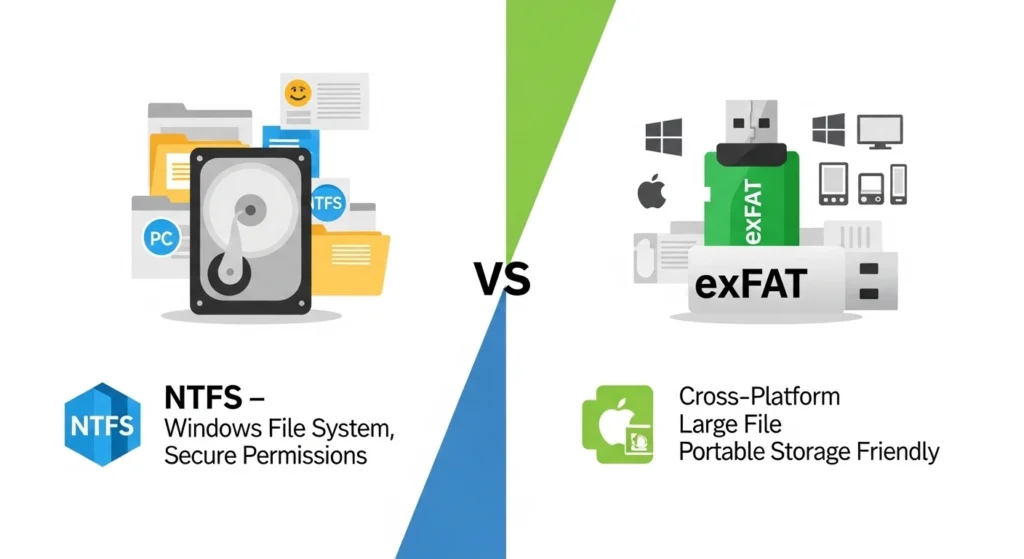
NTFS (New Technology File System) is ideal for Windows PCs. It supports large files, file permissions, and security features.
exFAT (Extended File Allocation Table) works best for external drives and cross-platform use. It is compatible with Windows, Mac, and some gaming consoles, making file sharing easier.
Example:
- Use NTFS for your main PC drive.
- Use exFAT for a USB drive to share files with both Mac and Windows.
The Origin of NTFS and exFAT
NTFS was developed by Microsoft in 1993 to replace FAT32. It added features like file encryption, compression, and large file support.
exFAT was introduced in 2006 as a lightweight system for flash drives and SD cards. It removed the 4GB file size limit of FAT32 while remaining cross-platform compatible.
Both systems are proprietary to Microsoft, but exFAT is now widely licensed for use on Mac, Linux, and devices like cameras.
British English vs American English Spelling
File system names like NTFS and exFAT are technical terms, so spelling is generally consistent worldwide. There is no British vs American spelling difference here.
| Term | US Spelling | UK Spelling | Notes |
| NTFS | NTFS | NTFS | Same everywhere |
| exFAT | exFAT | exFAT | Case-sensitive, exact spelling needed |
Unlike words like “color/colour”, technical names remain the same globally.
Which File System Should You Use?
- Windows PC internal drive: NTFS
- External drive for Windows only: NTFS
- External drive for Mac and Windows: exFAT
- Gaming consoles or cameras: exFAT
If you live in the UK, US, or elsewhere, the choice is based on device compatibility, not language.
Common Mistakes with NTFS or exFAT
- Formatting a USB drive as NTFS when it needs to be used on Mac → Mac cannot write files.
- Using FAT32 for large files → FAT32 cannot store files larger than 4GB.
- Ignoring drive backup before formatting → Data loss happens.
- Confusing file system with storage type → exFAT and NTFS are file systems, not hard drive types.
NTFS or exFAT in Everyday Examples
- Email attachments: No direct impact; file system matters when sending USB drives.
- News media storage: Journalists use exFAT to transfer large video files between platforms.
- Social media content: exFAT supports large video uploads without splitting files.
- Formal documents: NTFS allows secure storage with encryption for sensitive files.
NTFS or exFAT – Google Trends & Usage Data
- NTFS searches peak among Windows users and IT professionals.
- exFAT searches rise when people need cross-platform compatibility.
- Popularity by country: USA, UK, India, Canada, and Australia show high interest in compatibility issues.
Comparison Table: NTFS vs exFAT
| Feature | NTFS | exFAT |
| Platform | Windows only | Windows, Mac, some devices |
| Max file size | 16 EB (practically unlimited) | 16 EB |
| Max volume size | 256 TB+ | 128 PB |
| Security (encryption) | Yes | No |
| Ideal use | Internal drives | External drives/USB/SD |
FAQs About NTFS or exFAT
1. Can Mac read NTFS drives?
Yes, but Mac can only read, not write, without extra software.
2. Can Windows read exFAT drives?
Yes, fully compatible for reading and writing.
3. Which is faster, NTFS or exFAT?
NTFS is faster for internal drives, exFAT is faster for flash drives.
4. Can I convert NTFS to exFAT?
Yes, but you need to backup your files first.
5. Which file system is better for large video files?
exFAT is better for cross-platform large files.
6. Is NTFS more secure than exFAT?
Yes, NTFS supports encryption and permissions, exFAT does not.
7. Can exFAT be used on Linux?
Yes, modern Linux distributions support exFAT with proper drivers.
Conclusion
Choosing between NTFS or exFAT depends on your device and file-sharing needs. NTFS is perfect for Windows internal drives with large files and secure storage. exFAT is ideal for external drives when you need to transfer files between Windows, Mac, or other devices. Avoid common mistakes like using FAT32 for large files or formatting drives without backups.
Remember, the key is compatibility: pick NTFS for Windows-only setups and exFAT for cross-platform convenience. By understanding these file systems, you can store and share your files safely, efficiently, and without frustration.

Hi, I’m Henry William, the author of GrammarTribe.com. I’m passionate about the English language and have dedicated my career to helping people master grammar, spelling, and effective writing. Over the years, I’ve guided learners, writers, and professionals in understanding common mistakes, tricky rules, and nuances of English grammar in a simple and easy-to-follow way.
Through GrammarTribe.com, I aim to make grammar approachable and enjoyable for everyone. My work focuses on providing clear explanations, practical tips, and examples that readers can apply in everyday writing, whether it’s emails, essays, social media, or professional documents. I believe that strong grammar skills empower people to communicate confidently and professionally.
When I’m not writing or researching grammar, I enjoy reading, exploring language trends, and creating educational content that simplifies complex concepts. I’m committed to helping my audience write better, understand English deeply, and avoid common pitfalls, all while making learning grammar a fun and rewarding journey.